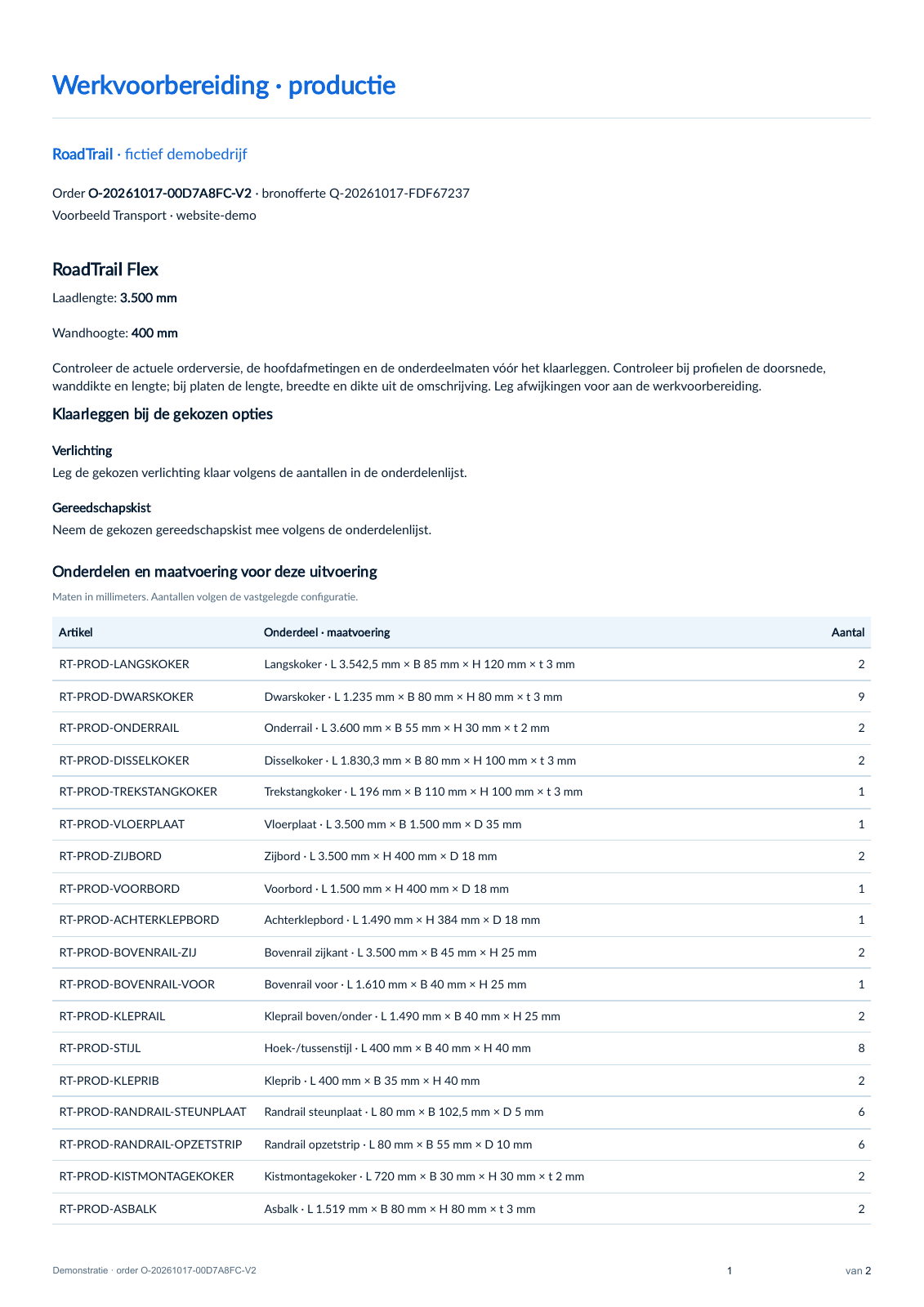
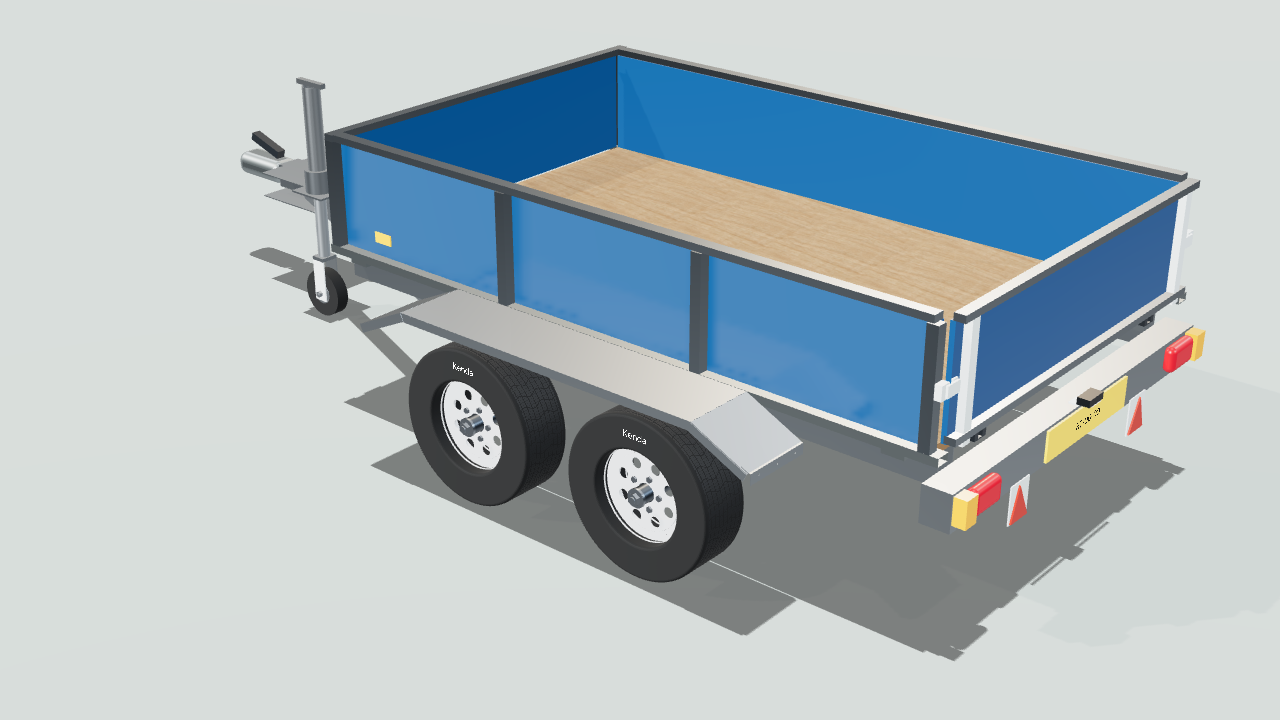
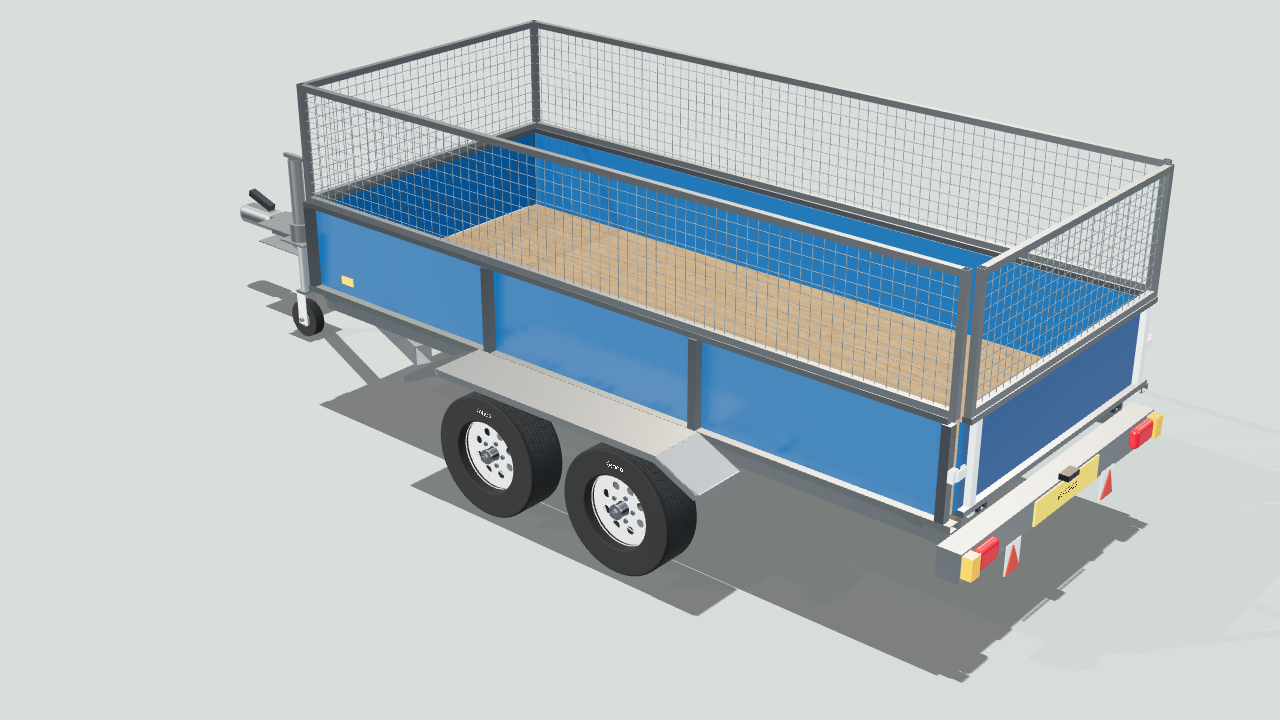
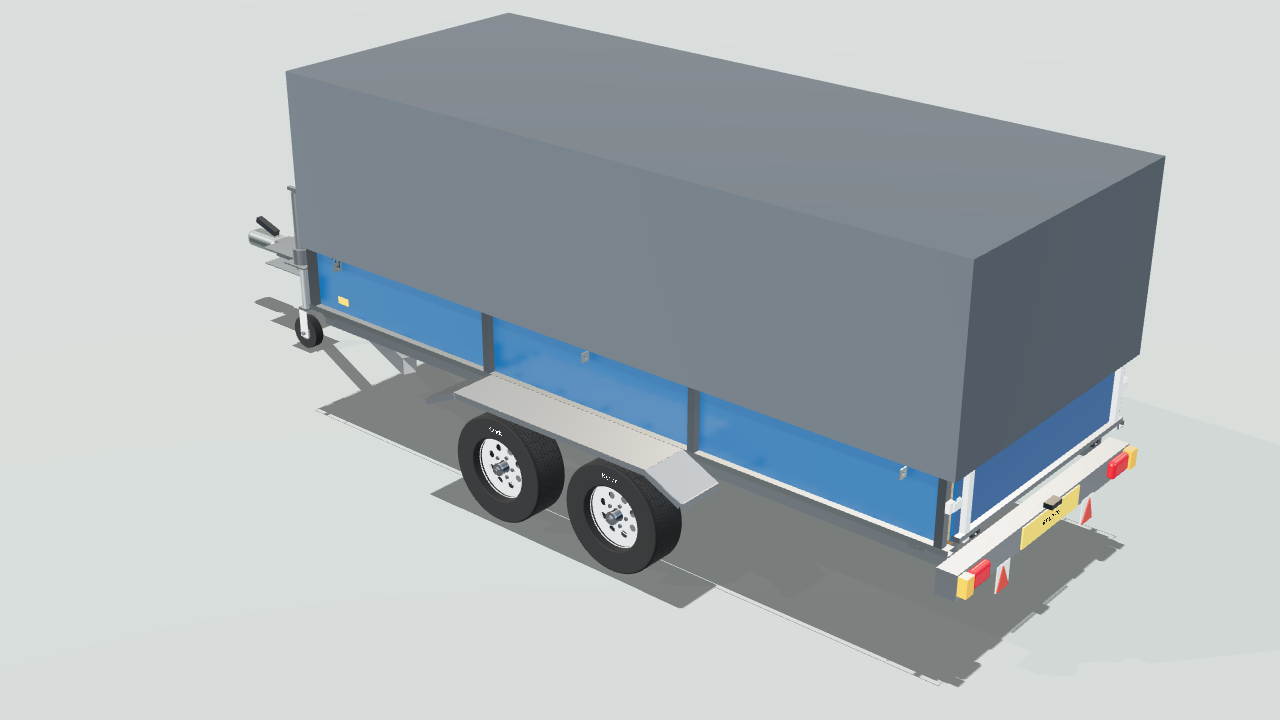
How it works

From the first enquiry to the revised order.

A dealer, a trailer and a customer who changes their mind. Follow the same product knowledge through configuration, documents and production preparation.

Product knowledge

Your product knowledge sits behind the choices.

Your team knows which dimensions, options and parts belong together. You capture that knowledge in RulePro and decide what sales and dealers can offer. You can do that without a 3D model. This demo also has a linked 3D model.

You work on a new option in a draft first and decide when to make it available. A quote you have already issued stays unchanged.
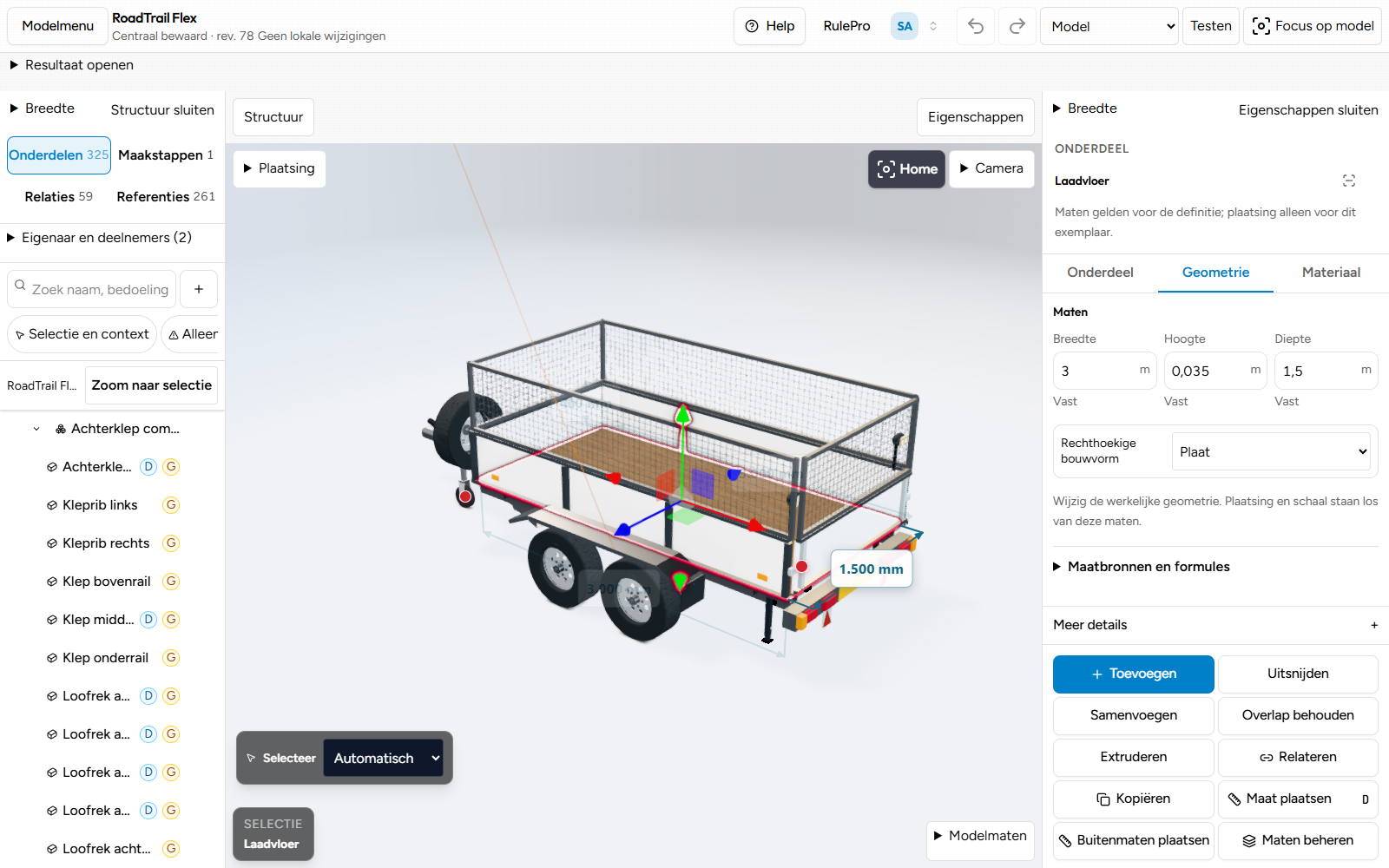
The real RulePro Modelstudio with the load floor selected as a part of the 3D trailer model.
3D model · Editing parts and dimensions in the Modelstudio.

Configure

The dealer works through it with the customer.

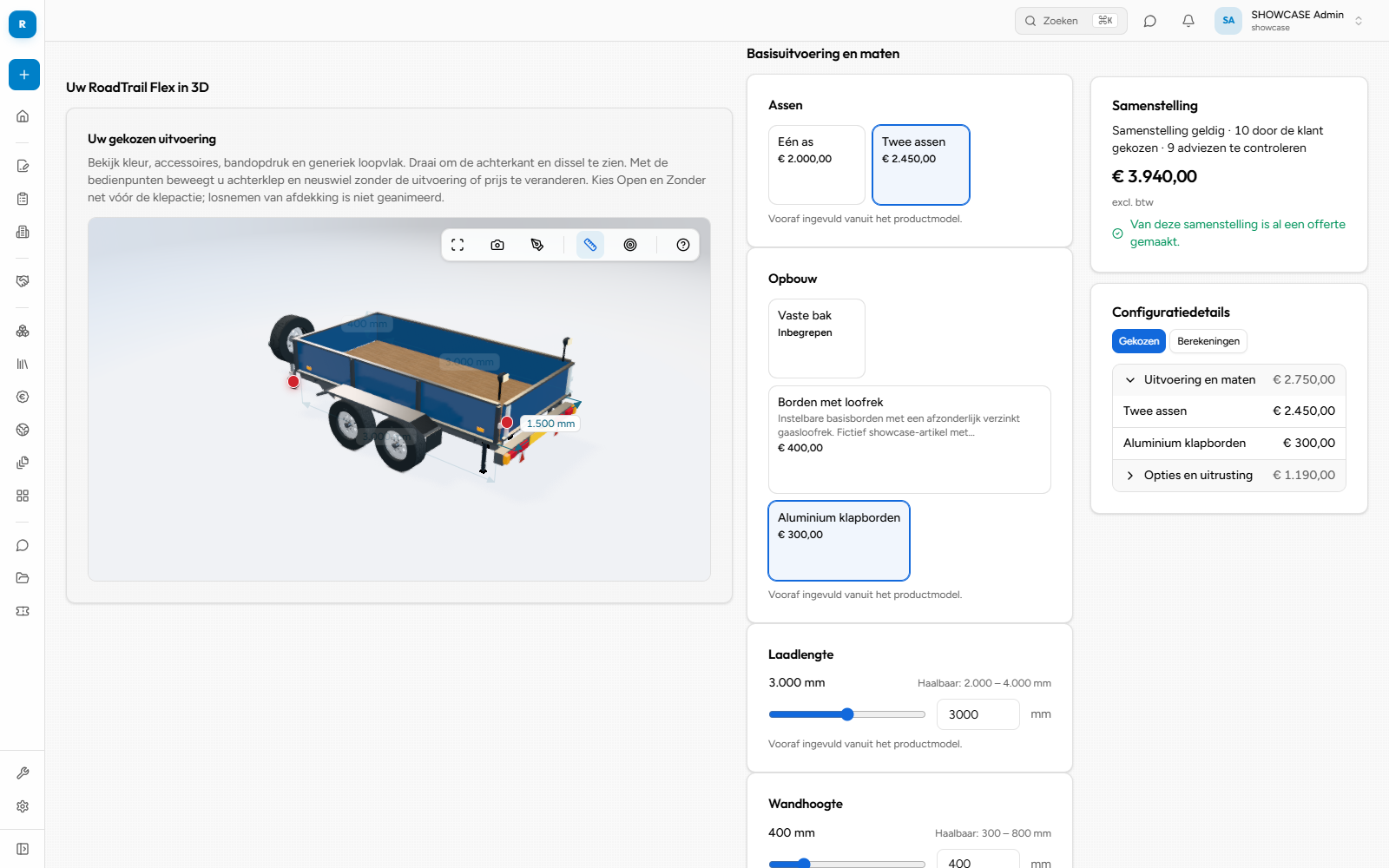
For this enquiry, the dealer chooses a 3,000 mm load bed, two axles and aluminium drop sides. The manufacturer has set up the questions and choices. The 3D model shows the selected configuration.

Does the customer want a framed cover when a load net is already selected? Click the cover. RulePro proposes removing the net. You can apply the change or cancel. Cancelling keeps the previous configuration.

The configured deep-blue 3,000 mm trailer with two axles, aluminium drop sides and a price of €3,940 excluding VAT.
Chosen configuration · The configuration for this enquiry: €3,940 excluding VAT.

Length and axles

Longer than 3,000 mm? Two axles.

From 2,500 mm with one axle to 3,500 mm with two axles. RulePro proposes the required change. You decide whether to apply it.

Try the length example
Proposal for a longer load bed

Quote

The quote shows what you agree on.

The customer can see what you offer and what it costs. Your quote can include a short covering note, the selected options and a 3D image with a dimensional drawing. This sample layout shows how.

The chosen configuration stays with the quote, even when you develop the product model further.

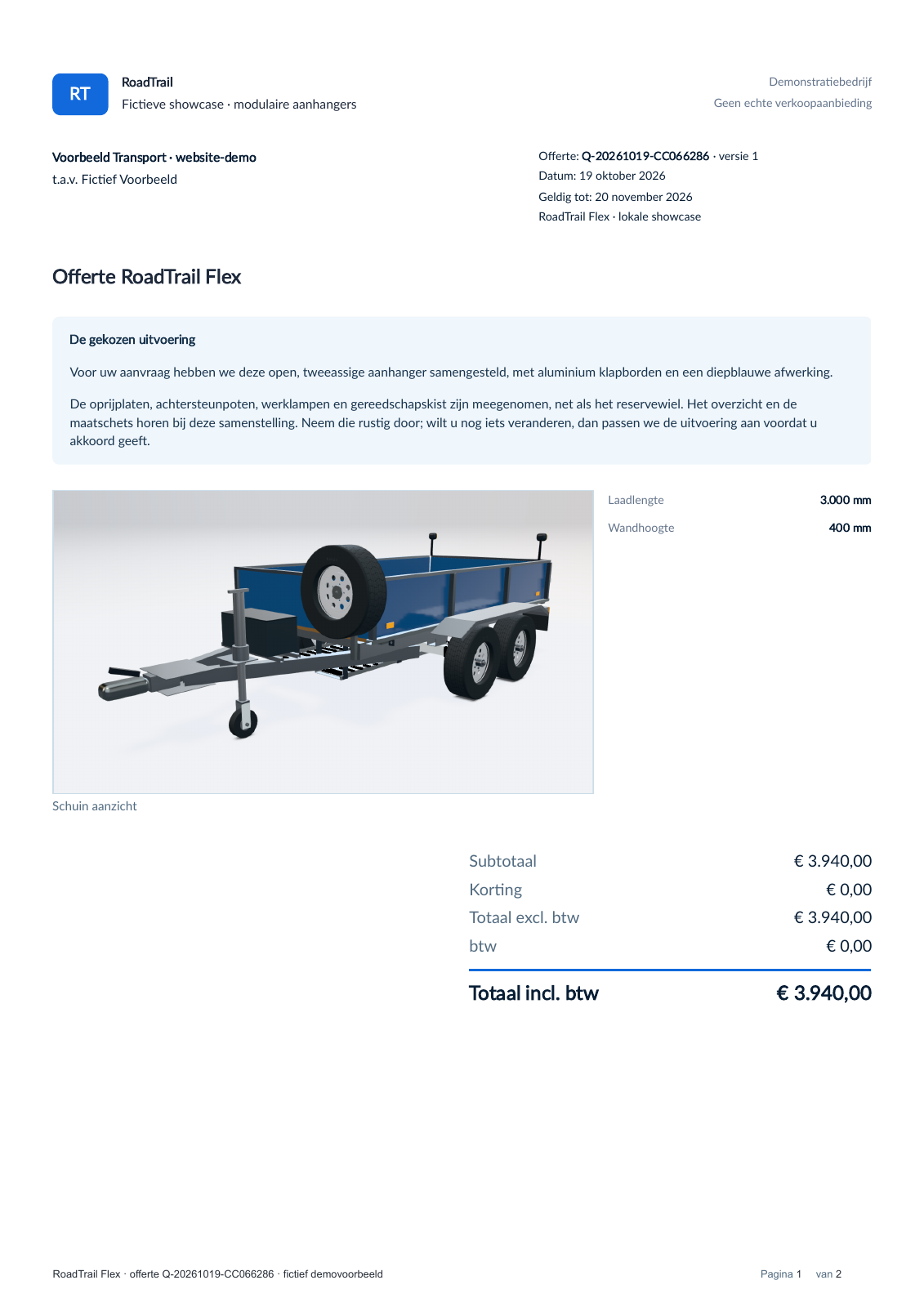
Sample quote layout with a covering note, the chosen blue trailer and the €3,940 total.
Cover page · The complete cover page, with a covering note, product image and total price. View the sample layout (PDF, Dutch, 2 pages)
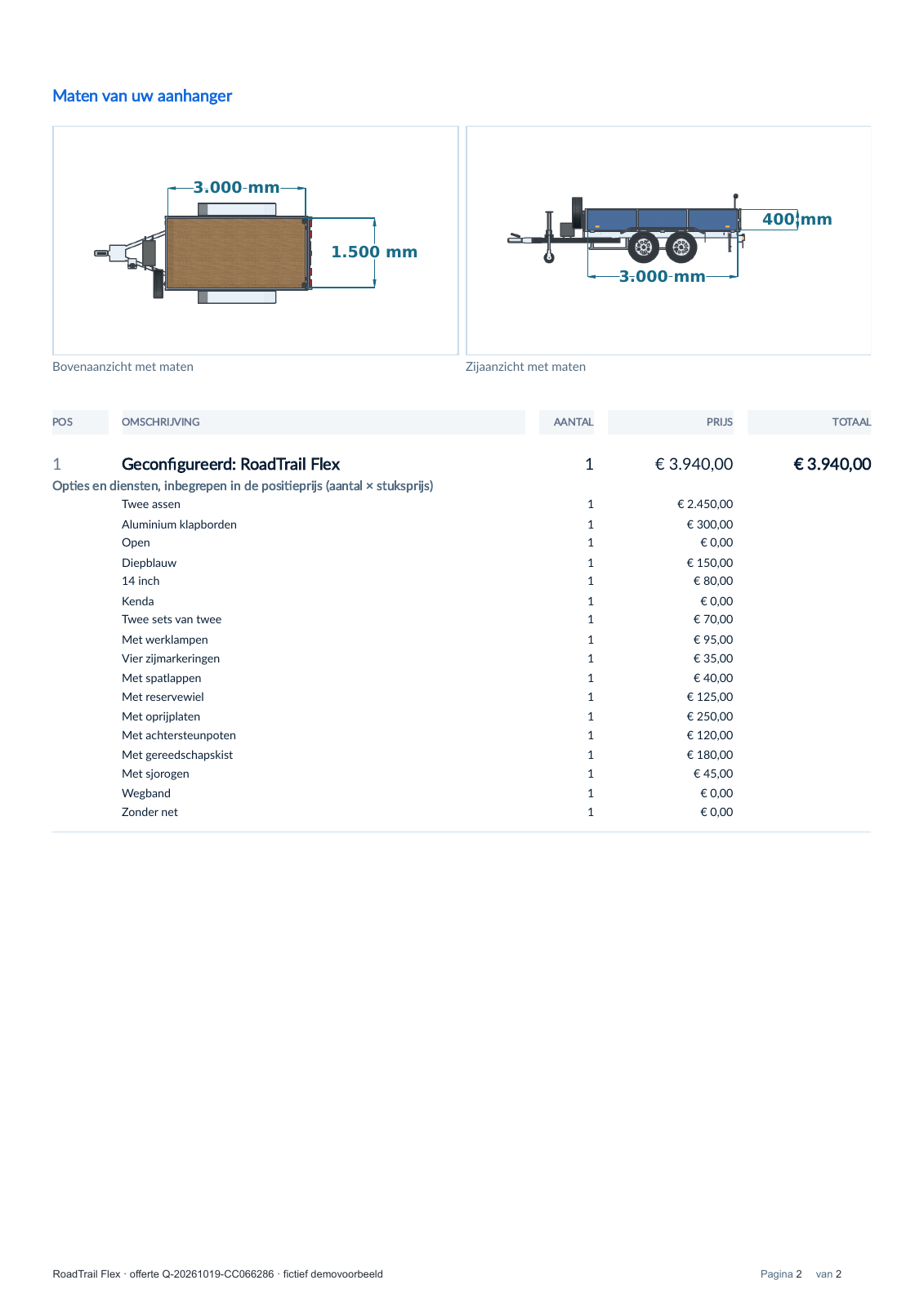
Second page of the sample layout with real top and side views, a 3,000 mm load length, 1,500 mm load floor width, 400 mm side height and the selected options.
Dimensions and options · Detail from page 2, with dimensions and the selected options. View the sample layout (PDF, Dutch, 2 pages)

A separate sample layout for the same configuration. View the original quote for the order (PDF, Dutch, 1 page)

Order

Approval turns it into an agreed order.

The chosen trailer is now a confirmed order, version 1. The configuration and commercial terms stay together.

For a dealer, you decide whether acceptance creates an order directly or goes to the sales office first. Requests outside the offered model go to the sales office.

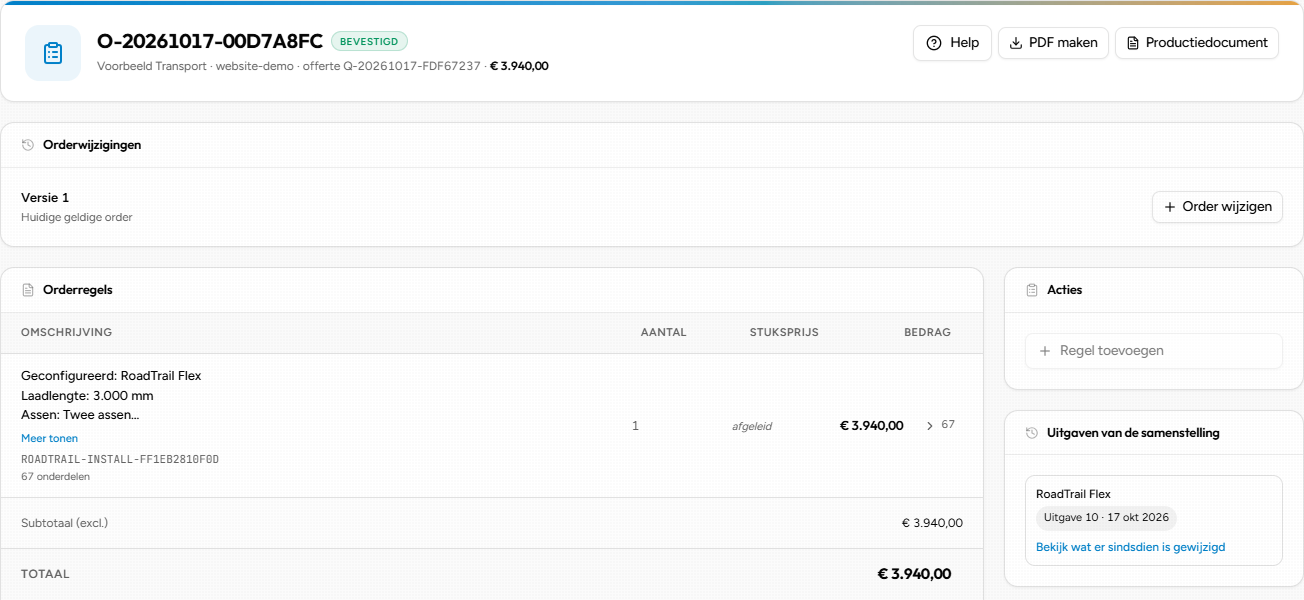
Order O-20261017-00D7A8FC, confirmed, version 1. The same 3,000 mm trailer at €3,940.
The confirmed order, version 1. The configuration and amount come from the quote.

Production

What does the production need?

The bill of materials makes the chosen configuration concrete. It includes four road tyres, four wheel rims and two work lights. The spare wheel is listed separately.

It also includes the dimensions. The two longitudinal members are 3,042.5 mm long and the fixed load floor width is 1,500 mm. The document includes instructions for the selected options.

This example shows one possible workflow. A RulePro document can support engineering, production or both. The work order often comes from ERP.

3,000 mm configuration · two axles

Dimensions for production

PartQtySize
Longitudinal beams23,042.5 mm
Load floor13,000 × 1,500 mm

Selected calculated parts for this configuration.

Dimensions

3,000 mm configuration · two axles

Parts and quantities

PartQtySize
Road tyres414 inch
Rims414 inch
Work lights2
Spare wheel1

Selected calculated parts for this configuration.

Parts
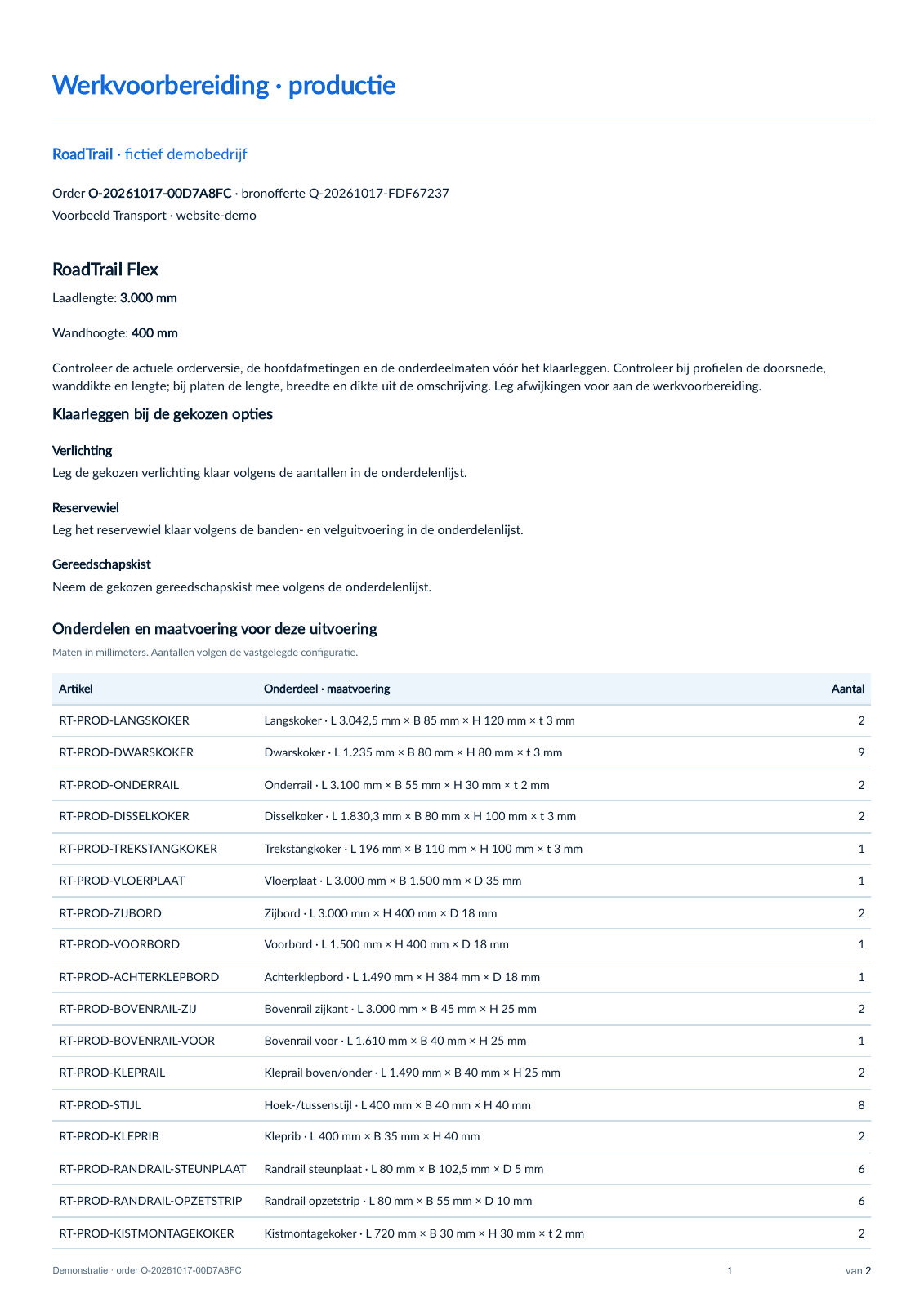
Work preparation for the same order, with option instructions, profiles, part dimensions and fixed load floor width in the floor-plate row.
Instructions · Detail from page 1 of the configured print example: instructions for the selected options and the parts list. Work preparation (PDF, Dutch, 2 pages)

Change

What if the customer changes their mind?

The customer wants an extra half metre of load space and no longer needs the spare wheel. The trailer changes from 3,000 to 3,500 mm; the revised configuration comes to €3,815 excluding VAT.

After approval, version 2 is the current order; the earlier agreement stays intact. The longitudinal members become 500 mm longer, at 3,542.5 mm. The updated production documents contain the new dimensions, with the spare wheel and its instruction removed.

What changes?

Version 1Version 2
Load length3,000 mm3,500 mm
Spare wheelWith spare wheelNo spare wheel
Total excl. VAT€3,940€3,815
Differences · Summary of the two actual order versions. Version 2 is the current agreement.
Work preparation for order version 2: 3,500 mm load length, updated part dimensions and no spare wheel or related instruction.
Updated work preparation · Detail from page 1 of the same document template, now using the parts and dimensions from version 2.

Three configurations in the configurator.

From an open trailer to mesh sides or a cover. Choose the length and body in the same configurator.

How it works in RulePro.

Choose the length and body, then open the tailgate.

Edited recording. Waiting times shortened.Open the trailer video separately
A longer conveyor, a wider belt and a short version on wheels. Edited recording with shorter waiting times.Open the conveyor video separately

A longer conveyor. What changes with it?

Length determines more than how much belt you need. It also affects the sections, supports and price.

You define those relationships in RulePro. Sales chooses the dimensions and options; the configurator checks the choices and calculates the result. The same configuration forms the basis for the quote and bill of materials.

Explore the features

Start with your product knowledge.

The product model defines what you can offer, with the rules and calculations behind it. Sales and dealers use that knowledge to configure a product. You can start without 3D and link a model later.

PLM

API integration

Product data
to RulePro

ERP

API integration

Cost data
to RulePro

RULEPRO

Product model

Variants, dimensions and parts

Product rules and price calculations

Optional

Linked 3D model

Can also be added later.

Configurator

For sales and dealers

Quote

Choices and price

Documents

Bill of materials and instructions for engineering and production

After quote acceptance

Order data

ERP

Order processing in ERP

Work order

Often from ERP

Product and cost data can come from your existing systems. PLM and ERP integrations are configured for your systems using the API and webhooks.

A RulePro document can support engineering, production or both. The work order often comes from ERP.

Show me what you make.

Tell me what your company makes and where you get stuck today. In a demo, I show you how RulePro works and we discuss what needs exploring for your product.

30 minutes, directly with me.