Modular design has its own language, within RulePro and often within manufacturing companies. Positions, interfaces, modules, variants and attributes. When engineering and sales share that language, you build a product model that can serve you for years. We explain it with two images everyone understands: a jigsaw puzzle and a workbench.
See the product as a jigsaw puzzle
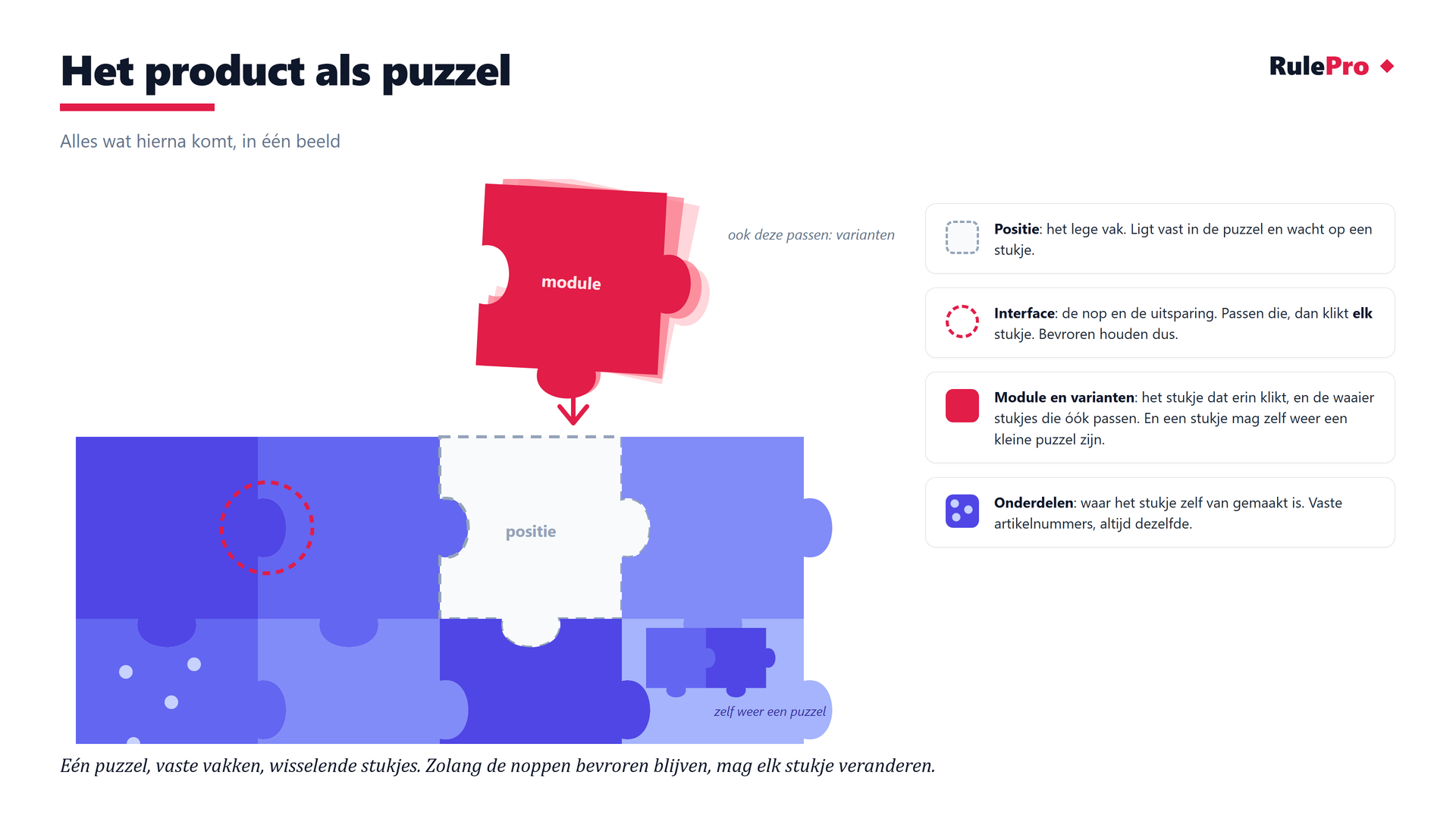
The empty slot is the position. It stays put and waits for a puzzle piece. The shapes at the edges together form the interface. If they match, any piece that follows the shape fits. The piece is the module, and usually several pieces fit the same slot: alternatives and variants. A piece may itself be a small puzzle. Modules may contain modules, as long as the connection agreements are fixed there too.
Five layers, one language
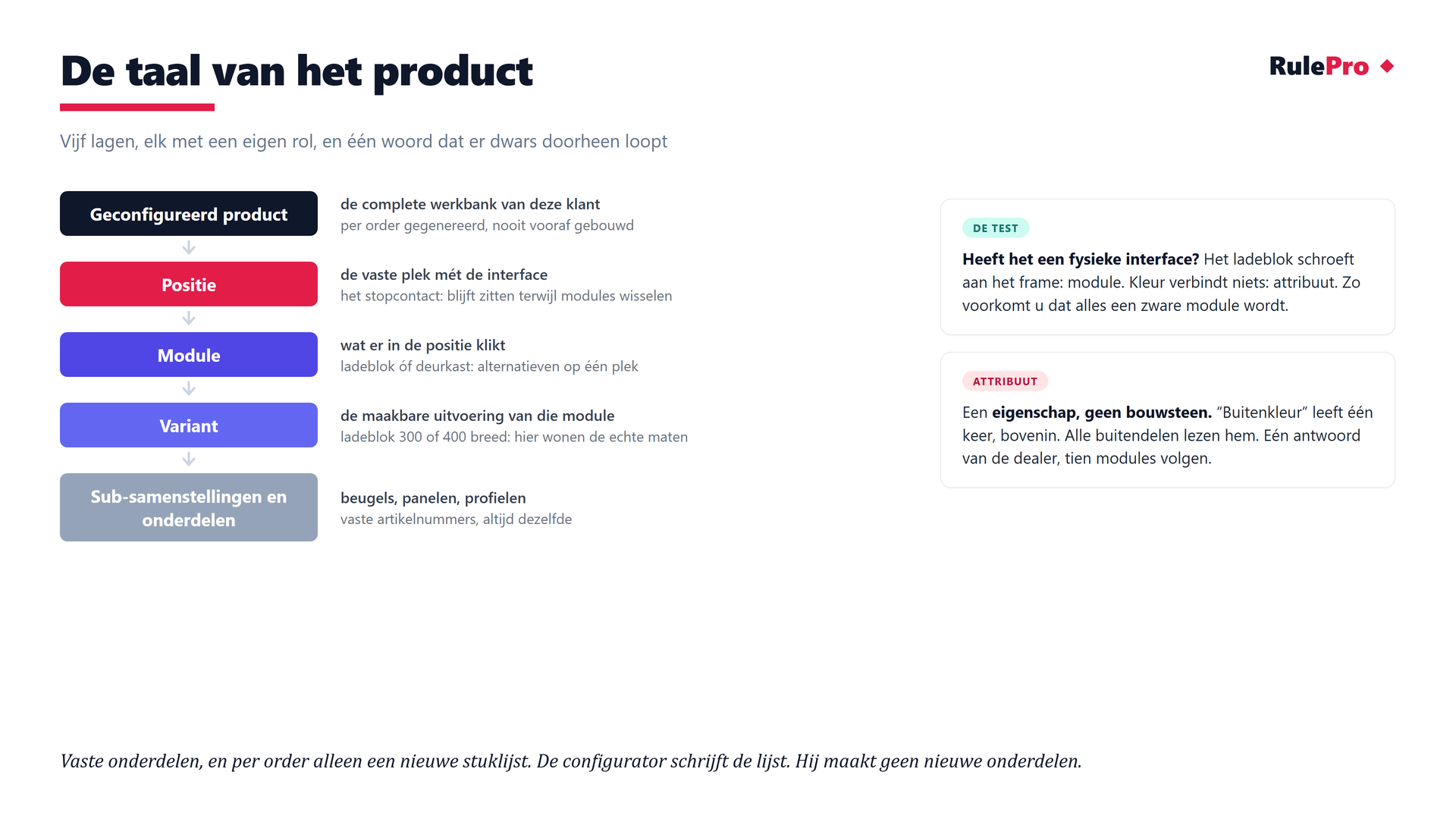
Tip: how do you recognise a module? Does a part have its own function and a clear connection to the rest of the product? Then it is probably a module. A drive unit mounted on a machine frame is, for example, a module. Colour connects to nothing, so it is an attribute. This stops everything from becoming a heavyweight module. These choices take practice at first. That is exactly why a shared product language helps.
The position stays fixed, the module changes
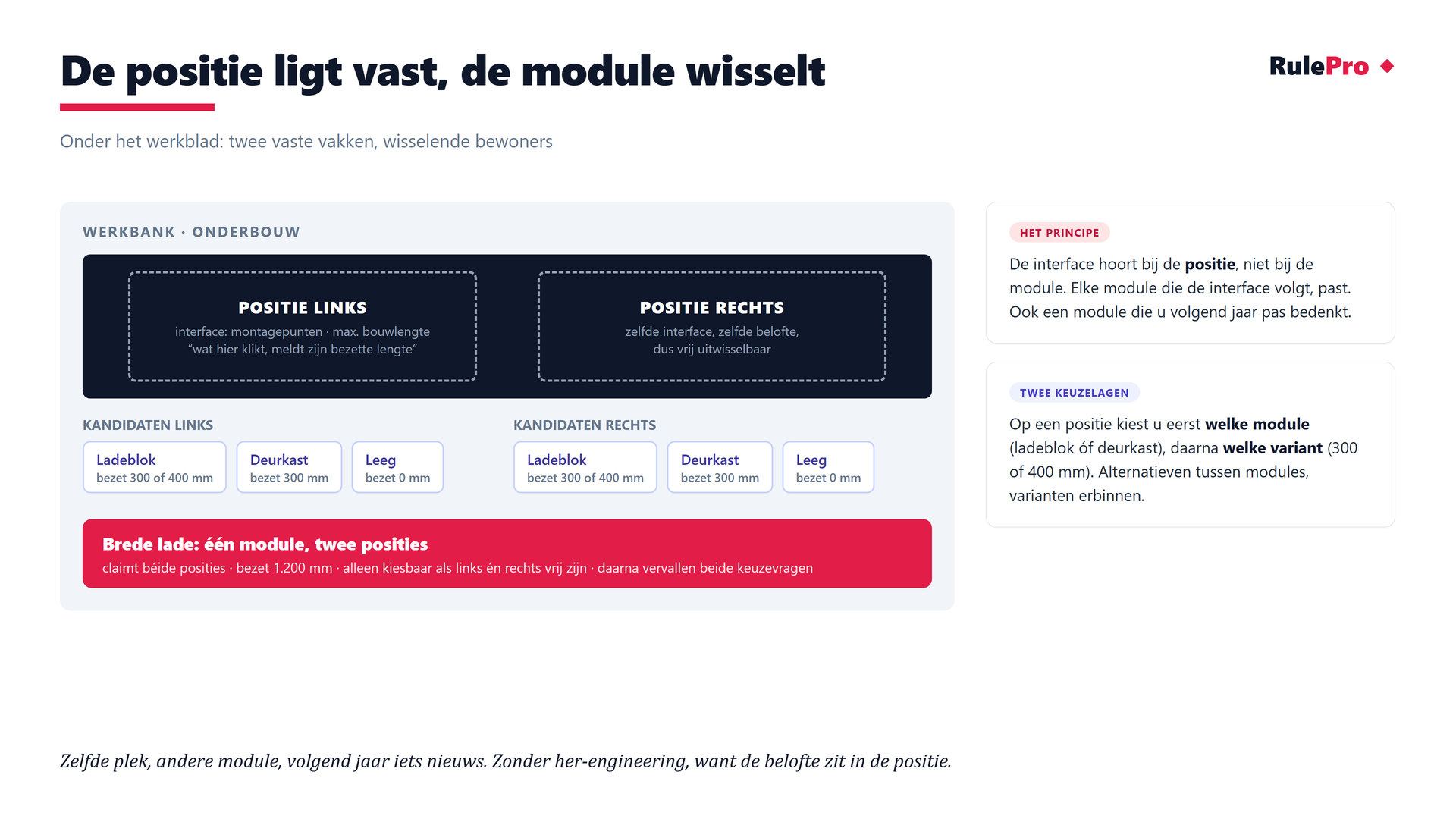
The interface belongs to the position, not to the module. Any module that follows the interface fits, including the module you invent next year. Note the wide piece that claims both slots at once. Such a drawer is only selectable when left and right are both free. A configurator applies rules like these consistently. An engineer or sales representative can overlook them in a busy quoting process.
Capture the connection agreements
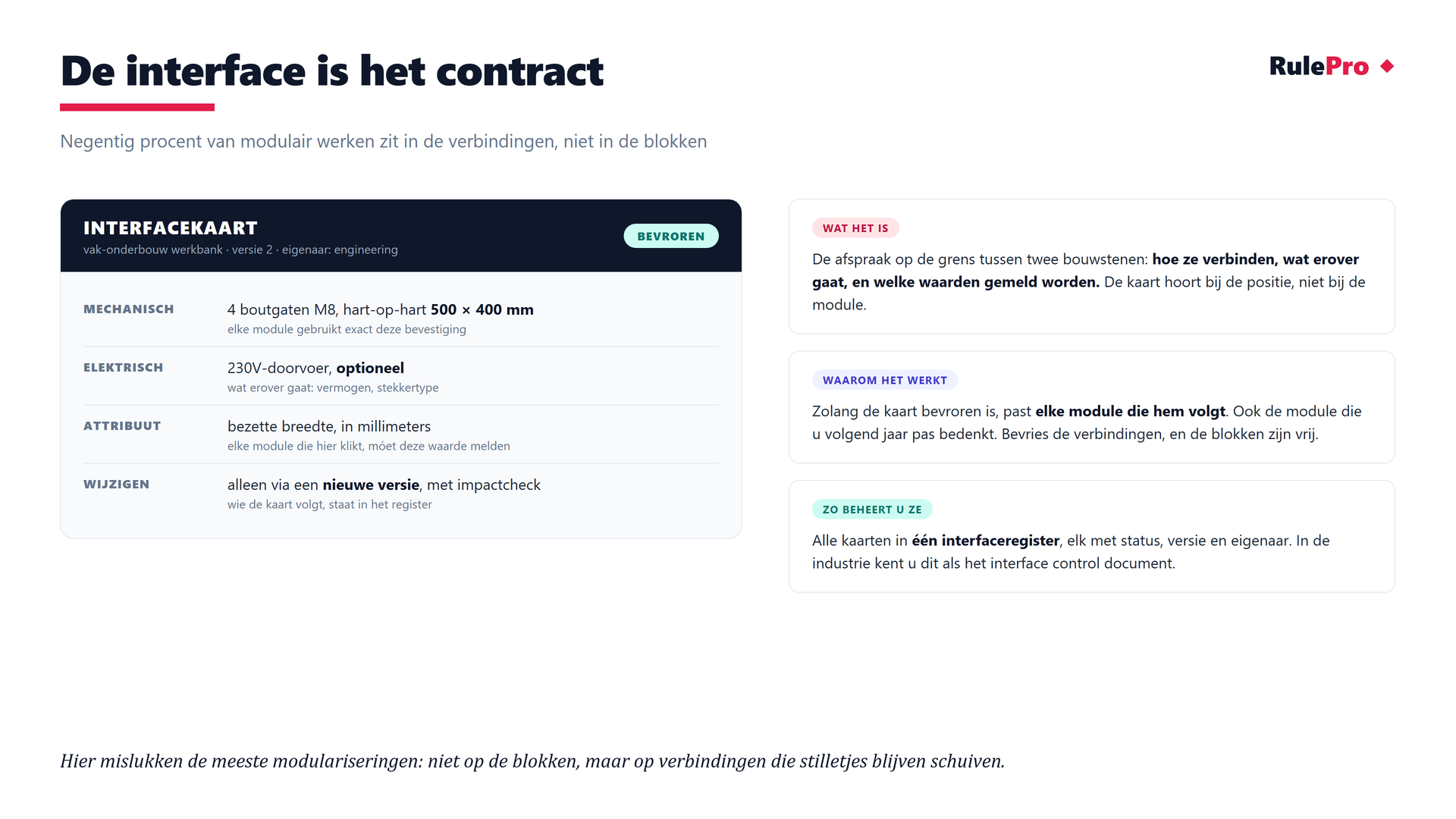
Connection agreements are not a RulePro feature, but an engineering working method. For each connection, capture what must fit: for example dimensions, mounting and boundary conditions. In RulePro, you then capture the choices and rules that follow from those agreements. In an interface register, the agreements receive a status, version and owner. Changes happen through a new version with an impact check.
Who supplies the value of an attribute?
The position demands that an occupied width is reported. The module promises its versions will do so. But the actual number comes from the variant, that is where the dimensions are pinned down. Global attributes (like exterior colour) are set once. Tagged parts read along, and a deliberate override stays possible.
Colour remains one property in the model. Does your ERP want its own article code per colour? Fine, the system generates it at order time. The point is not that the code must not exist, but that your engineer no longer creates it by hand.
From if-then rules to one attribute
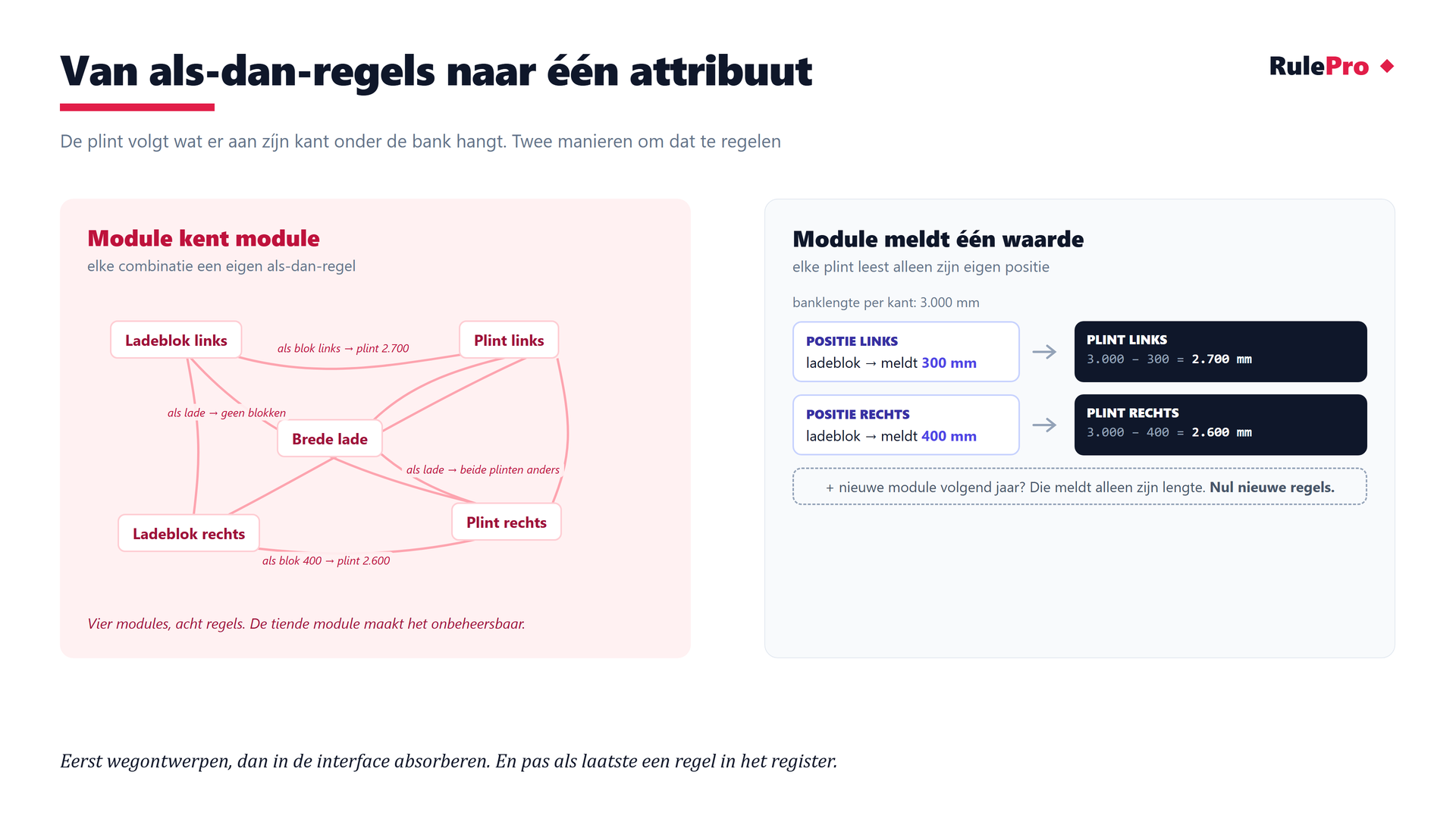
Workbench example. The skirting must match whatever hangs on its side. Naively that becomes a web of if-then rules, unmanageable by the tenth module. The clean approach works differently. Every module reports one value to its position (the occupied width), and each skirting reads only its own side. A 300 mm block on the left? Left skirting = 3,000 − 300 = 2,700 mm. A new module next year? It only reports its width. Zero new rules.
Handle dependencies in this order. Design them away, for example with one length and a filler. Otherwise capture them in the connection agreements. Only as a last resort add a managed rule, with an owner, version and reason.